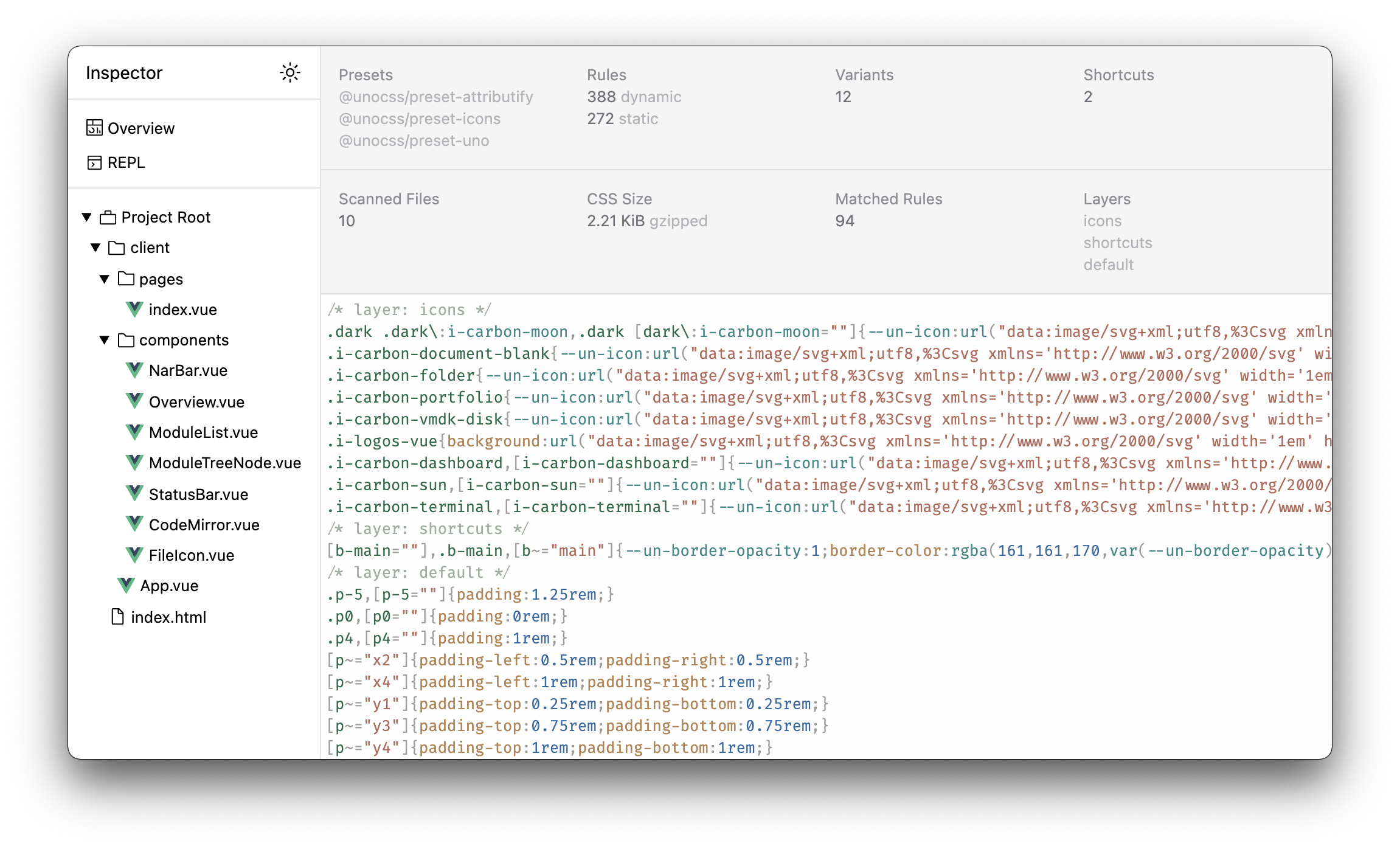
Inspector
The inspector UI for UnoCSS: @unocss/inspector. Ships with unocss and @unocss/vite.
The inspector allows you to inspect the generated CSS rules and the applied classes for each file. It also provides a REPL to test your utilities based on your current configuration.
Built on top of devframe, the inspector can be hosted in several ways.
Vite DevTools (recommended)
When Vite DevTools (@vitejs/devtools) is installed, the inspector is mounted automatically as a UnoCSS dock inside it — no auth prompt, live updates included.
vite build with DevTools' static build also bakes a pre-computed snapshot of the inspector data into the export, so the analysis is viewable without a dev server.
Standalone URL
Visit localhost:5173/__unocss in your Vite dev server to see the inspector.
On first use, enter the one-time 6-digit code printed in your dev server terminal to unlock it (the token is remembered per browser). When Vite DevTools is active, this URL redirects into the DevTools UI instead.
INFO
The standalone URL is a deprecated surface — the Vite DevTools dock is the recommended way to use the inspector going forward.
Other hosts
@unocss/inspector/devframe exports the inspector as a portable devframe definition, mountable by any devframe host:
createInspectorDevframe(ctx)— bind the inspector to an existing UnoCSS plugin context.createStandaloneInspectorDevframe(options)— build a standalone context by scanning project files, for hosts without a bundler-integrated UnoCSS context (e.g. a Next.js app using@unocss/postcssvia@devframes/next).